Hunt ConnectWise Cloud Backup: The App That Held the Keys


Picture an admin opening the Microsoft Entra sign-in logs on a Friday evening and finding a sign-in from an app the company approved long ago. There is no user, no device and no MFA prompt. The source is a hosting provider address, not Microsoft's network. Nobody in the tenant clicked anything, and nobody in the tenant held the credential that signed in.
ConnectWise says it identified unauthorized access to application identities associated with its Cloud Backup environment, the service formerly known as SkyKick. It first said on 17 October that it was shutting off Cloud Backup application access, and in its 1:00 PM EDT (5:00 PM UTC) update it said it had revoked the certificates used for affected application connections and that the shared credentials previously used for Cloud Backup are no longer valid. Huntress says the app's credential was compromised and used to sign in to customer Microsoft 365 tenants. Microsoft Threat Intelligence calls it an active supply chain attack.
As of 4:50 PM Arizona time (11:50 PM UTC) on 17 October, no source we read says who the actor is or how the credential was obtained, ConnectWise says the original credential-exposure mechanism is still under investigation, and it has given no restoration time.
Why this one is different
The credential that proves the app is the app belongs to the vendor, and the permissions belong to you. Huntress says the credential type was a client assertion, which lives in the vendor's own tenant, so nothing a customer did could have produced these sign-ins. The access is whatever your tenant already granted. Huntress says a Microsoft 365 backup service normally holds read access to mail, files, Teams and directory data, plus write access so it can restore. Microsoft assesses that the actor likely abused permissions customers had already granted, including "highly elevated permissions like Directory.ReadWrite.All".
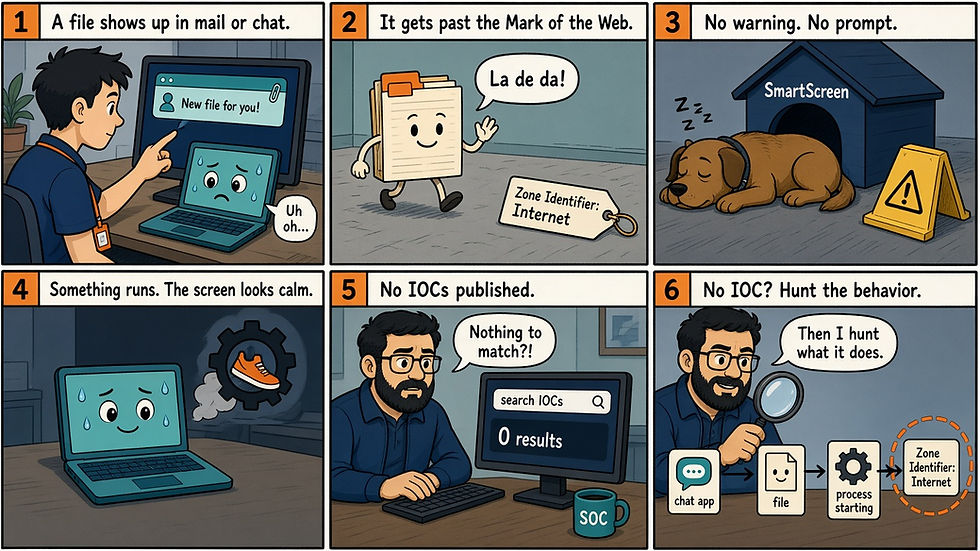
These are app-only sign-ins. Huntress says they involve no user, no device and no MFA prompt, so the protections that apply to people do not apply. That makes this an MSP channel problem: the product exists to sit inside many clients' tenants, and Huntress says the credential works in every tenant where the app is consented. Huntress saw the app sign in from a hosting provider address instead of its normal Azure egress, moving through tenants in sorted GUID order a few seconds apart, which points to a script working from a list.
The threat hunting here lives in two logs many shops do not watch: Entra service principal sign-ins and Entra audit logs. The default User sign-ins tab will not show the app, per ConnectWise and Huntress. Service principal sign-ins are their own log type, so check that your diagnostic settings export them to your SIEM, or the first hunt below has nothing to read.
Our earlier post on AhsayCBS CVE-2026-105133 covers a different backup product, a different incident and a different cause.
Who is exposed
Huntress says any organization with the app installed is exposed, because the credential works in every tenant where the app is consented. ConnectWise has since said the shared Cloud Backup credentials are no longer valid. That statement does not name the Cloud Management apps, it does not address credentials added to other applications in your tenant, and it does not tell you what happened in your tenant before the change. As of 19:00 UTC on 16 October, Huntress had confirmed unauthorized sign-ins in 162 tenants, and it says the actor is not limited to those. That is a count of tenants with confirmed sign-ins, not of tenants where data was taken, and Microsoft gave no count. In its 5:15 PM EDT (9:15 PM UTC) update on 17 October, Huntress also said it had identified sign-in activity from the IP address associated with the unauthorized activity in almost 1,000 Entra tenants, with more than 300 of those succeeding, and that attempts failed where the relevant ConnectWise service principal was not present. Huntress did not say how those figures relate to its earlier count of 162.
ConnectWise says it has no evidence that the encrypted backup archives were accessed, but it also says it cannot tell from its own investigation whether a particular customer's Microsoft 365 environment saw unauthorized activity, because Cloud Backup gives it no visibility into those environments. Huntress saw no mail or file access in the one tenant it audited in detail, but directory reads through Microsoft Graph leave no audit trail, so Huntress describes the current state as "tokens issued, nothing visible taken." None of that is a reason to skip your own logs. MSPs need to check every client tenant.
What ConnectWise, Huntress, Microsoft and Todyl published
ConnectWise. Its first advisory, at 1:47 PM EDT (5:47 PM UTC) on 16 October, said it was investigating attempts of unauthorized access and listed source IP 144.172.64[.]128 and user agents Python-urllib/3.12 and python-requests/2.31. The 1:01 AM EDT (5:01 AM UTC) update on 17 October adds the shutdown and repeats the IP. Both say the indicators alone do not confirm compromise.
The 1:00 PM EDT (5:00 PM UTC) update says ConnectWise revoked the certificates used for the affected application connections and that the shared credentials previously used for Cloud Backup are no longer valid. It says it has not observed successful threat activity in the environments it monitors since those mitigations. Its FAQ adds that this does not establish the status of customer environments, which it cannot directly observe. It also says it has engaged a third-party incident response firm, has no indication that another ConnectWise product is affected, and will publish another update later on 17 October.
Microsoft. On 15 October, Microsoft observed broad successful service principal authentication from 144.172.64[.]128. It describes follow-on Graph API reconnaissance and attempts to add additional credentials on the related service principal in target tenants. It adds the user agent python-requests/2.34.2 and advises reviewing unrecognized sign-in addresses, app credential changes and OAuth grant activity.
Huntress. The app signed in from that address on 15 October between 06:13 and 08:34 UTC. Separately, in one tenant, the Cloud Management app for Teams added itself to Global Administrator at 03:44 and 03:48 UTC that day, then a Python script added client secrets, set to expire in 2028, to two other applications. That was about two and a half hours before the first sign-ins from the IP, and Huntress has not tied the two to one operator.
Huntress's 17 October update says it has high confidence the threat actor also abused the Cloud Management apps for Exchange Online, Teams and SharePoint Online. In that same update, at 10:30 AM EDT (2:30 PM UTC), Huntress said it did not look like ConnectWise had disabled those three apps. In a later update at 5:15 PM EDT (9:15 PM UTC), Huntress said ConnectWise has communicated that the relevant apps are disabled. ConnectWise's own Trust Center update from 1:00 PM EDT (5:00 PM UTC) does not name the Cloud Management apps.
Separately, Huntress's timeline has Cloud Management apps assigning themselves directory roles, mostly Exchange Administrator, in about 50 monitored tenants from 01:58 UTC on 15 October. Huntress reads that as likely vendor automation, unconfirmed with ConnectWise, so do not treat it as attacker activity.
Todyl. In the tenants it monitors, Todyl found sign-ins and no directory changes: no new secrets, applications, consents or role assignments by the backup app.
The indicators are low fidelity, since the actor can change them and Huntress says Python and curl user agents are common in ordinary administration. Search for them once, then rely on behavior: an unexpected app, operation or address. The hunt window starts 13 October, when Huntress saw password spraying from the same IP.
What to change this week
Find the apps. Search enterprise applications for the Application IDs in the table below the list, and look for SkyKick Cloud Manager in older tenants. Remove the Enterprise application filter if nothing shows. Huntress says it sent a follow-up email with the tenant ID and tenant name for the affected tenants, and its support article gives a Huntress SIEM query that matches an ID to a name.
Disable, do not delete. In Properties, set "Enabled for users to sign-in" to No. Deleting removes consent. Huntress says to disable the Cloud Backup and Cloud Management Teams apps and consider the other Cloud Management apps, rather than blocking the ID. Per Huntress, backups and restores pause while email, files, Teams and user sign-ins keep working.
Know what disabling does not do. Todyl says tokens already issued can stay valid for up to 90 minutes and that revoking user sessions does not end app access. Huntress says disabling does not remove credentials already added. Huntress's 5:15 PM EDT update, which says ConnectWise has communicated that the relevant apps are disabled, still advises not to re-enable any ConnectWise applications until ConnectWise confirms all credentials have been reset. ConnectWise's 1:00 PM EDT (5:00 PM UTC) update says the shared Cloud Backup credentials are no longer valid, but it does not name the Cloud Management apps or say that all credentials have been reset.
Review directory roles held by any ConnectWise or SkyKick service principal, especially Global Administrator and Privileged Authentication Administrator, and remove roles you did not knowingly grant once the app is disabled.
Review client secrets and certificates on every enterprise application and app registration for any added since 13 October that you did not create, and remove them. Huntress says to start with management and security tools. Our reading is that your RMM, PSA and backup tool apps belong on that list too.
Pull the logs while you have them. Export service principal sign-ins and audit logs now, since Todyl notes Entra ID Free keeps only seven days, and check the unified audit log for mail access, file downloads and directory changes in the 14 to 16 October window Huntress's support article names.
Turn on Microsoft Graph activity logs, which Todyl says are not retroactive, and check Conditional Access for policies that exclude the app, such as a location block, because Huntress says the sign-ins would not be blocked there. OAuth grant activity is a manual check in Entra, since the queries below do not cover it.
If you find evidence, report it to ConnectWise at SecurityPartnerSupport@ConnectWise.com. Huntress asks anyone who saw noteworthy tradecraft to write to its research team at support@huntress.com.
These are the Application IDs Huntress lists:
App | Application ID |
ConnectWise Cloud Backup | 506e08f9-6e9a-4da4-942b-a099a03644ae |
ConnectWise Cloud Management | 2399d300-6fca-4e6a-a686-399fefe75b83 |
Cloud Management, MS Teams | 24205314-2b89-4e07-a2a4-579e898a5640 |
Cloud Management, Exchange Online | b78f6a77-d4e5-46fb-87e5-d1648bd02519 |
Cloud Management, MS Graph | 0de14c77-b9b0-4137-9360-34878a929827 |
Cloud Management, Partner Center | 412dcf96-176d-4b3a-a1b0-4981ad66971e |
Cloud Management, SharePoint Online | b2b55f5b-7758-4719-8d8f-88ae172e6bdb |
Hunts to run (test first)
These hunts read Entra logs, so they work only if those logs are in your SIEM or still inside Entra's own retention. We have not run them on live customer data. Replace every YOUR_* placeholder and test each query on one known event before you trust a zero. Windows start on 13 October 2026 UTC, and first-seen logic uses 1 July to 12 October as the baseline.
A hit is a lead, not proof of this incident, and an empty result is not a clean bill of health: Huntress says a clean result does not rule out access. The table under the hunts, "Interpret before you escalate", says what is benign and what is not.
The sign-in searches list sources for review, so check every returned address against Microsoft ranges. They will also list the Teams app's sign-ins, but Huntress saw those come from a Microsoft-internal range that legitimate traffic also uses, so the source address will not flag them. That is what the audit log searches are for.
Hunt in Microsoft Sentinel KQL: first-seen app sources and app-initiated changes (test first)
Search 1: first-seen sign-in sources for the ConnectWise apps
let ConnectWiseAppIds = dynamic([
    "506e08f9-6e9a-4da4-942b-a099a03644ae",
    "2399d300-6fca-4e6a-a686-399fefe75b83",
    "24205314-2b89-4e07-a2a4-579e898a5640",
    "b78f6a77-d4e5-46fb-87e5-d1648bd02519",
    "0de14c77-b9b0-4137-9360-34878a929827",
    "412dcf96-176d-4b3a-a1b0-4981ad66971e",
    "b2b55f5b-7758-4719-8d8f-88ae172e6bdb"]);
let Baseline = AADServicePrincipalSignInLogs
    | where TimeGenerated >= datetime(2026-07-01) and TimeGenerated < datetime(2026-10-13)
    | where AppId in (ConnectWiseAppIds)
    | distinct AppId, IPAddress;
AADServicePrincipalSignInLogs
| where TimeGenerated >= datetime(2026-10-13)
| where AppId in (ConnectWiseAppIds)
| join kind=leftanti Baseline on AppId, IPAddress
| summarize FirstSeen=min(TimeGenerated), LastSeen=max(TimeGenerated), SignIns=count(),
    Results=make_set(ResultType, 5), CredentialTypes=make_set(ClientCredentialType, 3),
    UserAgents=make_set(UserAgent, 5), Asn=make_set(AutonomousSystemNumber, 3)
    by AppId, ServicePrincipalName, IPAddress
| extend PublishedIp = IPAddress == "144.172.64.128"
| order by FirstSeen asc
Search 2: apps that took roles or added credentials
AuditLogs
| where TimeGenerated >= datetime(2026-10-13)
| where OperationName has_any ("Add member to role", "Add eligible member to role",
    "Add service principal credentials", "Update application", "Certificates and secrets")
| extend ActorApp = tostring(InitiatedBy.app.displayName),
    ActorAppId = tostring(InitiatedBy.app.appId),
    Target = tostring(TargetResources[0].displayName),
    TargetType = tostring(TargetResources[0].type)
| where isnotempty(ActorApp) or isnotempty(ActorAppId)
| project TimeGenerated, OperationName, Result, ActorApp, ActorAppId, Target, TargetType, TargetResources, CorrelationId, AdditionalDetails
| order by TimeGenerated asc
For Search 1, run the inner part against one day of a known good sign-in for any app to confirm the table and columns exist. A source already in your baseline is excluded, which can hide the Teams app's Microsoft-internal sign-ins too, so also read every sign-in by these apps in the window. If you never exported before 13 October, every source shows as new, so read IPAddress by eye for anything outside Microsoft or Azure space. PublishedIp is the one-time check against ConnectWise's address, and a ResultType of 0 is a successful sign-in.
Search 2 is a candidate-event query, not a full list. Huntress calls a service principal adding itself to a role or modifying other applications unusual on its own. For a role add, the first target is often the app itself, so expand TargetResources to see the role or app that changed, then read AdditionalDetails for the user agent. Operation names vary by tenant and portal version, so run it once without the isnotempty line on a day with a known event and confirm the strings match. To narrow, add | where ActorApp has_any ("ConnectWise", "SkyKick").
Hunt in Splunk: app sign-ins and app-initiated changes (test first)
Splunk reads a quoted date in the searching user's time zone, so both searches use the epoch 1791849600, which is 2026-10-13 00:00:00 UTC. The index, add-on and sourcetype vary, so replace YOUR_ENTRA_INDEX with yours.
Search 1: service principal sign-ins
index=YOUR_ENTRA_INDEX earliest=1791849600
  ("506e08f9-6e9a-4da4-942b-a099a03644ae" OR "2399d300-6fca-4e6a-a686-399fefe75b83"
   OR "24205314-2b89-4e07-a2a4-579e898a5640" OR "b78f6a77-d4e5-46fb-87e5-d1648bd02519"
   OR "0de14c77-b9b0-4137-9360-34878a929827" OR "412dcf96-176d-4b3a-a1b0-4981ad66971e"
   OR "b2b55f5b-7758-4719-8d8f-88ae172e6bdb")
| spath path=category output=category
| spath path=properties.appId output=app_id
| spath path=properties.ipAddress output=src_ip
| spath path=properties.userAgent output=user_agent
| search category="ServicePrincipalSignInLogs"
| stats count earliest(_time) as first_seen latest(_time) as last_seen values(user_agent) as user_agents by app_id src_ip
| sort 0 first_seen
| convert ctime(first_seen) ctime(last_seen)
Search 2: apps that took roles or added credentials
index=YOUR_ENTRA_INDEX earliest=1791849600
  ("Add member to role" OR "Add eligible member to role" OR "Add service principal credentials" OR "Update application" OR "Certificates and secrets")
| spath path=operationName output=operation
| spath path=properties.result output=result
| spath path=properties.initiatedBy.app.displayName output=actor_app
| spath path=properties.initiatedBy.app.appId output=actor_app_id
| spath path=properties.targetResources{}.displayName output=target
| where isnotnull(actor_app) AND actor_app!=""
| table _time operation result actor_app actor_app_id target
| sort 0 _time
To test Search 1, run it for one day without the search category= line and confirm category, appId and ipAddress extract on a known event. The search does not show whether a sign-in succeeded, so open the raw event to read the result. Splunk also shows first_seen and last_seen in the searching user's time zone, so set your preference to UTC before you compare them with the times above. If your add-on already extracts fields, use its names and drop the spath lines. Search 2 does not show the user agent, so open the raw event and read additionalDetails. Huntress says the vendor apps it reviewed use kiota-dotnet, and the changes it saw in one tenant came from Python-urllib/3.12.
Hunt in Kibana: app sign-ins and app-initiated changes (test first)
Both searches use KQL in Discover. Kibana reads the time picker in your browser's time zone unless an admin changed it, so each query pins the start to 2026-10-13 00:00 UTC itself, and the time picker only needs to reach back that far.
Search 1: service principal sign-ins, on the data view logs-azure.signinlogs-*:
azure.signinlogs.category:"ServicePrincipalSignInLogs" and azure.signinlogs.properties.app_id:("506e08f9-6e9a-4da4-942b-a099a03644ae" or "2399d300-6fca-4e6a-a686-399fefe75b83" or "24205314-2b89-4e07-a2a4-579e898a5640" or "b78f6a77-d4e5-46fb-87e5-d1648bd02519" or "0de14c77-b9b0-4137-9360-34878a929827" or "412dcf96-176d-4b3a-a1b0-4981ad66971e" or "b2b55f5b-7758-4719-8d8f-88ae172e6bdb") and @timestamp >= "2026-10-13T00:00:00Z"
Search 2: apps that took roles or added credentials, on the data view logs-azure.auditlogs-*:
azure.auditlogs.operation_name:("Add member to role" or "Add eligible member to role" or "Add service principal credentials" or Update*) and azure.auditlogs.properties.initiated_by.app.displayName:* and @timestamp >= "2026-10-13T00:00:00Z"
For Search 1, build a Lens table of unique azure.signinlogs.caller_ip_address with first and last seen, and look for anything outside Microsoft or Azure space. Also try source.ip, because the mapping differs by integration version, and export to a sheet if IPv6 sorting gets ugly. For Search 2, add the columns azure.auditlogs.operation_name, azure.auditlogs.properties.initiated_by.app.displayName, azure.auditlogs.properties.initiated_by.app.appId, azure.auditlogs.properties.target_resources.0.display_name and azure.auditlogs.properties.additional_details.user_agent. Test the exact operation_name strings on one known event first. These events can also land in o365.audit through the Microsoft 365 integration, but we have not mapped its field names.
Why there is no Falcon hunt
The Falcon sensor sees endpoints, and nothing in the sources says endpoints were touched. It does not see Entra sign-ins. If you ingest Entra logs into Next-Gen SIEM through a data connector, find the repository that holds them and rebuild the two ideas above with that repository's own field names. If you do not ingest them, a search there returns nothing and means nothing, so use the Sentinel, Splunk or Kibana path, or the Entra portal.
Interpret before you escalate
Finding | Benign read | Escalate when |
Cloud Backup app sign-in from a non-Azure source or the published IP | An address you can tie to your own tooling. A failed result from the published IP means no token was issued, but it is still an attempt from an address ConnectWise lists, so disable the app anyway | The result is a success: treat the tenant as accessed with the app's permissions, disable the app, preserve logs and review what the consent allowed |
Sign-in from an Azure or Microsoft-internal source | Normal egress for the app | Huntress says a Microsoft-internal address alone does not identify who operated the app, so read the audit log hunt too |
A ConnectWise or SkyKick app added itself to a role | Vendor automation: Huntress saw it in about 50 tenants with the kiota-dotnet user agent and has not confirmed it | A Python or other non-vendor user agent, Global Administrator, or a role you did not grant: remove it, then review that app's sign-ins |
New client secret or certificate on an MSP management or security app since 13 October | A rotation your own team did | Nobody can tie it to a change: remove it, rotate and review that app |
Python or curl user agent alone | Common in ordinary administration (Huntress) | It pairs with an unexpected app, operation or address |
Empty across all hunts | Nothing matched in the data you have | Still not a clean bill of health, because Huntress says a clean result does not rule out access. Confirm logs were exported and retained back to 13 October, and disable the app anyway |
Sources
ConnectWise Trust Center, Cloud Backup (formerly known as SkyKick) Service Interruption (16 October 2026, updated 17 October at 1:00 PM EDT): https://www.connectwise.com/company/trust/advisories
Huntress, ConnectWise (SkyKick) Vendor Credentials Abused in M365 Attacks (16 October 2026, updated 17 October): https://www.huntress.com/blog/vendor-credential-enables-unauthorized-access
Huntress Support, 2026 - October SkyKick: https://support.huntress.io/hc/en-us/articles/56492265597459-2026-October-SkyKick
Microsoft Threat Intelligence thread on Bluesky (17 October 2026): https://bsky.app/profile/threatintel.microsoft.com/post/3my2kg4hzsf2s
Todyl, Investigation: Unauthorized Access Through the ConnectWise Cloud Backup Microsoft 365 App (16 October 2026): https://www.todyl.com/blog/investigation-unauthorized-access-through-the-connectwise-cloud-backup-microsoft-365-app
Microsoft Learn, sign-in log types: https://learn.microsoft.com/en-us/entra/identity/monitoring-health/concept-sign-ins
Microsoft Learn, AADServicePrincipalSignInLogs table: https://learn.microsoft.com/en-us/azure/azure-monitor/reference/tables/aadserviceprincipalsigninlogs
Microsoft Learn, AuditLogs table: https://learn.microsoft.com/en-us/azure/azure-monitor/reference/tables/auditlogs
Elastic Azure integration field definitions: https://github.com/elastic/integrations/tree/main/packages/azure
What This Means for Your Team
A consented vendor app is standing access, backed by a credential the vendor controls, within the permissions you granted. Disable the apps, review roles and secrets across every tenant you manage, and read the logs back to 13 October. Then inventory the consented apps that hold directory or mail write, ask who at the vendor can sign in as them, and check for quiet Conditional Access exclusions. That is a prompt for an inventory, not blame for ConnectWise.
Inception Protection
Inception Protection is our managed detection and response service, and it works with the Microsoft licenses you already have. For an app identity like this one, the evidence is in Entra service principal sign-ins and audit logs. We look at those logs for unfamiliar sources, roles taken by applications and credentials added to apps, and we work through containment with your team.
Inception Foresight
A vendor app with broad consent is the kind of thing a tenant review brings to the surface. To see what your Microsoft 365 tenant shows about sign-ins, apps and activity, you can run the free Inception Foresight M365 Assessment: https://www.inceptionsecurity.com/m365assessment. You can also follow Inception Security on LinkedIn and @inceptionsec on X.