


php2shell Exploited: Check Whether You Were Hit

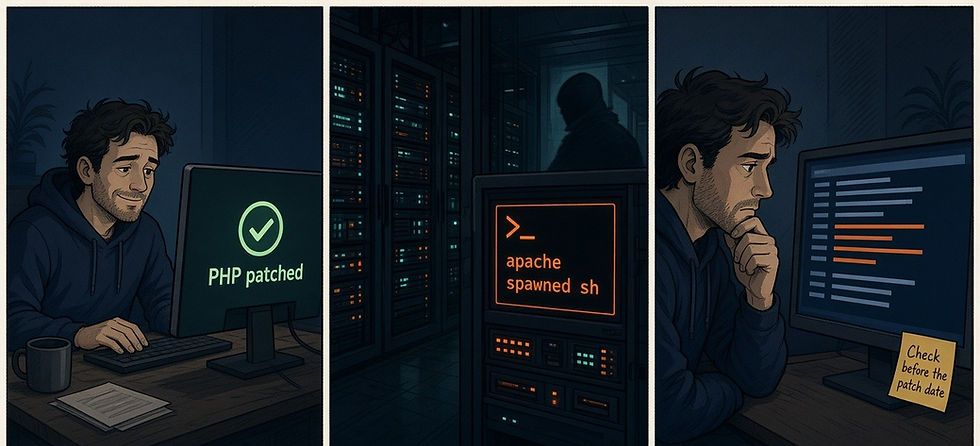
What this means for your clients: attackers have now run working shells on research decoys that served ordinary-looking PHP pages from an intentionally favorable single-worker mod_php setup, so every late-patched or unpatched client needs a look back at the pre-patch window.
On October 24, Adel Karimi at Perplexity published packet-to-process evidence from three decoys running PHP 8.4.26 under Apache with mod_php. His honeypot-data report ties 35 execution-stage POSTs to 35 /bin/sh starts parented by Apache workers, from two source addresses he names as 15[.]204[.]59[.]70 and 162[.]35[.]99[.]94. His report counts 52 disclosure-sized cookies that each decoded to 819,200 bytes, the 800 KiB dump BleepingComputer quotes him on. The shell commands that followed included id, curl and wget.
Per BleepingComputer, Expel's Marcus Hutchins called it by far the highest-quality confirmation he had seen so far. watchTowr reports exploitation of both CVE-2026-109618 and CVE-2026-109619 on its honeypots. No named real-world victim is confirmed. On October 25, Unit 42 retracted its October 23 update about an attack on a European government agency, saying it could not tie the initial access to these CVEs, and Sophos withdrew an early success claim.
Patch order and verification live in php2shell PHP RCE: Patch Order and Hunts for MSPs and php2shell Patch Verified: We Tested the PHP Fix. CISA's alert, last revised October 23, still says it has not observed successful exploitation, and as of the morning of October 26 both CVEs remain off the KEV catalog.
What the attack traffic looks like
The bodies Karimi captured carried PHPSESSID and PHP_SESSION_UPLOAD_PROGRESS fields, and his successful chains ran in four stages of multipart POSTs: memory pressure, a memory disclosure through an oversized PHPSESSID cookie, more memory pressure, then execution. A 200 status says little on its own; an unusually large response or cookie on a small PHP endpoint gives you something specific to chase. A crash near those POSTs is worth a look, but on its own it does not show that code ran.
Delft Threat Intelligence Lab publishes live counts from its honeypots and network telescope. When we read it on October 26 at 7:45 AM MST (page updated 14:44 UTC) it showed 52,329 exploitation requests from 607 source IPs since October 21. Of those IPs, 171 had sent code or a dropper, and 34 accounted for 10,417 requests carrying PHP code in the progress field. Delft counts attack requests from one sensor set, not victims.
Amazon MadPot saw an attempt on October 17, four days before public disclosure, and more on October 21 before the embargo lifted. Amazon says it is unclear whether any of those attempts would have succeeded on real systems, and advises looking for POSTs with PHP_SESSION_UPLOAD_PROGRESS, reviewing web logs, and checking unexpected process and file changes.
Patch first, then search the window
Move every web-serving PHP install to 8.5.12, 8.4.27, 8.3.36 or 8.2.35, then restart the workers. CISA says all web-serving PHP is affected and notes that PHP considers Apache with mod_php the highest risk. Amazon is clear that no configuration-only workaround fully covers both CVEs. Anchor the look-back from Amazon's October 17 MadPot attempt through each client's restart on a fixed October 21 build.
Karimi's shells ran on a single-worker mod_php profile he calls intentionally favorable, so do not read it as evidence about PHP-FPM.
Hunts to run (test first)
These hunts look for signs that php2shell was tried against your servers and for follow-on activity that could mean an attempt became a shell. Run Hunts 1 to 3 from October 17 to the time that host restarted on a fixed build, and run Hunt 4 through today, since aftermath can land after the patch; set each end time per host in the time picker. A start time written into a Splunk or Microsoft KQL query overrides the picker, so for Hunts 1 to 3 add latest= with your patch time in Splunk, in the main search and the Hunt 3 subsearch, or an upper bound on TimeGenerated or Timestamp in KQL. They are hand checked but not run on a live instance; field names are assumptions, so map them.
Test query. Confirm that web request or process telemetry is reaching the index before you trust an empty hunt. An empty result never means the host is clean; check the time range, the source filter and ingestion against an event you know is there. The field that usually breaks this check is the sourcetype or data stream name.
Splunk
index=* (sourcetype=*access* OR sourcetype=*sysmon* OR sourcetype=*waf*) earliest=-24h
| stats count by sourcetype, host
| sort - count
Elastic
FROM logs-*
| WHERE @timestamp > NOW() - 24 hours
| STATS count = COUNT(*) BY data_stream.dataset, host.name
| SORT count DESC
CrowdStrike
// Set the time picker to the last 24 hours
// Falcon sensor process events plus your Next-Gen SIEM web server or WAF ingest
#event_simpleName=ProcessRollup2 OR #Vendor=/apache|nginx|waf/i
| coalesce([#Vendor, #event_simpleName], as=src)
| groupBy([src], function=count(as=count))
| sort(count, order=desc)
Microsoft KQL
union isfuzzy=true withsource=SourceTable DeviceProcessEvents, DeviceNetworkEvents, CommonSecurityLog
| extend t = coalesce(column_ifexists("Timestamp", datetime(null)), column_ifexists("TimeGenerated", datetime(null)))
| where t > ago(24h)
| extend src = coalesce(column_ifexists("DeviceName", ""), column_ifexists("Computer", ""))
| summarize count() by src, SourceTable
| order by count_ desc
Hunt 1 pulls POSTs that mention PHP_SESSION_UPLOAD_PROGRESS from October 17 to your patch time, plus PHP POSTs with unusually large responses; the 200,000 byte cutoff is our heuristic, so compare it with each endpoint's normal size. Karimi's disclosure stage returned an 800 KiB decoded cookie. The body field drifts most across vendors; prefer CommonSecurityLog or your proxy table for Microsoft KQL, because DeviceNetworkEvents has no RequestMethod or RequestURL columns. CommonSecurityLog RequestURL holds the URL, not the multipart body, so a URL hit is not a body hit. A true body match needs your WAF to write body fields into AdditionalExtensions. Byte direction follows your vendor's CEF mapping, so confirm which column holds the response size. Empty results often mean the body never reached the index; fall back on size, endpoint, method and WAF logs.
Splunk
index=* (sourcetype=*access* OR sourcetype=*waf*) http_method=POST earliest=10/17/2026:00:00:00
| search "PHP_SESSION_UPLOAD_PROGRESS" OR (uri_path="*.php" bytes_out>200000)
| stats count, min(_time) as first_seen, max(bytes_out) as max_out, values(src) as srcs by dest, uri_path
| sort - count
Elastic
FROM logs-*
| WHERE @timestamp >= "2026-10-17T00:00:00Z"
  AND http.request.method == "POST"
  AND (http.request.body.content LIKE "*PHP_SESSION_UPLOAD_PROGRESS*"
       OR (url.path LIKE "*.php" AND http.response.bytes > 200000))
| STATS count = COUNT(*), first_seen = MIN(@timestamp), max_out = MAX(http.response.bytes) BY destination.domain, url.path
| SORT count DESC
CrowdStrike
// Set the time picker from 2026-10-17 to your patch time
// Pin #Vendor to your Next-Gen SIEM web server or WAF parser; fields are its normalized http.* and url.* names
#Vendor=/apache|nginx|waf/i
| http.request.method=POST
| ("PHP_SESSION_UPLOAD_PROGRESS" OR (url.path=/\.php$/i AND http.response.body.bytes>200000))
| groupBy([host.name, url.path], function=[count(as=count), min(@timestamp, as=first_seen), max(http.response.body.bytes, as=max_out)])
| sort(count, order=desc)
Microsoft KQL
CommonSecurityLog
| where TimeGenerated >= datetime(2026-10-17)
| where RequestMethod =~ "POST"
| where RequestURL has "PHP_SESSION_UPLOAD_PROGRESS" or AdditionalExtensions has "PHP_SESSION_UPLOAD_PROGRESS"
    or (RequestURL endswith ".php" and toint(SentBytes) > 200000)
| summarize count(), first_seen=min(TimeGenerated), max_out=max(toint(SentBytes)) by DestinationHostName, RequestURL
| order by count_ desc
Hunt 2 reads Apache and PHP error logs for worker crashes, segfaults, children exited on signal, and memory-limit or out-of-memory bursts near those POSTs. A crash next to a multipart POST is worth checking, not proof of remote code execution. Correlating a crash to a Hunt 1 hit within a few minutes is a manual step: line both result sets up by host and time. Message and facility names usually mismatch, and CrowdStrike only sees those lines if you pin the query to your Apache or PHP error-log ingest.
Splunk
index=* (sourcetype=*apache* OR sourcetype=*php*) earliest=10/17/2026:00:00:00
| search ("Segmentation fault" OR "child pid" OR "exited on signal" OR "Allowed memory size" OR "out of memory" OR "zend_mm_heap")
| bin _time span=5m
| stats count by _time, host, sourcetype
| sort _time
Elastic
FROM logs-*
| WHERE @timestamp >= "2026-10-17T00:00:00Z"
  AND (message LIKE "*Segmentation fault*" OR message LIKE "*exited on signal*"
       OR message LIKE "*Allowed memory size*" OR message LIKE "*zend_mm_heap*")
| STATS count = COUNT(*) BY window = BUCKET(@timestamp, 5 minutes), host.name, log.logger
| SORT window
CrowdStrike
// Set the time picker from 2026-10-17 to your patch time
// Pin #Vendor to your Apache or PHP error-log ingest; do not use a wildcard event name
#Vendor=/apache|php/i
| @rawstring=/Segmentation fault|exited on signal|Allowed memory size|zend_mm_heap|out of memory/i
| formatTime("%Y-%m-%d %H:%M", field=@timestamp, timezone="UTC", as=window)
| groupBy([host.name, window], function=count(as=count))
| sort(window, order=asc)
Microsoft KQL
Syslog
| where TimeGenerated >= datetime(2026-10-17)
| where SyslogMessage has_any ("Segmentation fault", "exited on signal", "Allowed memory size", "zend_mm_heap", "out of memory")
| summarize count() by Computer, bin(TimeGenerated, 5m)
| order by TimeGenerated asc
Hunt 3 uses process telemetry to find an Apache or PHP worker that starts a shell, then a wget, curl or chmod child within one minute. Line each result up against Hunt 1 by host and time; a chain near a suspicious POST is the one to chase, and a chain alone does not prove php2shell was the way in. The one minute follow-on rule is our heuristic to cut noise, so a shell with no follow-on tool slips past it; narrow by web service accounts when you can. Process and parent id labels differ across EDR products, so map ProcessId, TargetProcessId and ParentProcessId before you trust a miss. The Elastic version is an EQL sequence that ties the shell to its child by process.entity_id and enforces the one minute gap with maxspan (set the time range from October 17 to your patch time); if your data lacks entity ids, run shell and child as two queries and compare the child's timestamp with the shell start by hand.
Splunk
index=* sourcetype=*sysmon* EventCode=1 earliest=10/17/2026:00:00:00
| where match(ParentImage, "(?i)(apache2|httpd|php-fpm|php-cgi|php)")
| where match(Image, "(?i)([\\\\/](ba|da)?sh(\\.exe)?$|cmd\\.exe|powershell\\.exe|pwsh\\.exe)")
| eval shell_time=_time, ShellPid=ProcessId
| join type=inner max=0 host ShellPid [
    search index=* sourcetype=*sysmon* EventCode=1 earliest=10/17/2026:00:00:00
    | where match(Image, "(?i)(wget|curl|chmod)")
    | eval child_time=_time, ShellPid=ParentProcessId, ChildImage=Image, ChildCmd=CommandLine
    | fields host, ShellPid, child_time, ChildImage, ChildCmd
  ]
| where child_time >= shell_time AND child_time - shell_time < 60
| table shell_time, host, ParentImage, Image, ChildImage, ChildCmd, child_time
Elastic
sequence by host.id with maxspan=1m
  [process where event.type == "start"
     and process.parent.name in~ ("apache2", "httpd", "php-fpm", "php-cgi", "php", "php.exe")
     and process.name in~ ("sh", "bash", "dash", "cmd.exe", "powershell.exe", "pwsh.exe")] by process.entity_id
  [process where event.type == "start"
     and process.name in~ ("wget", "curl", "curl.exe", "chmod")] by process.parent.entity_id
CrowdStrike
// Set the time picker from 2026-10-17 to your patch time
// Inner join: shell TargetProcessId must equal child ParentProcessId; max=20 children per shell, then keep pairs within 60 seconds
#event_simpleName=ProcessRollup2
| ParentBaseFileName=/^(apache2|httpd|php-fpm|php-cgi|php)(\.exe)?$/i
| FileName=/^(sh|bash|dash|cmd\.exe|powershell\.exe|pwsh\.exe)$/i
| ShellPid := TargetProcessId
| ShellTime := @timestamp
| join({
    #event_simpleName=ProcessRollup2
    | FileName=/^(wget|curl|curl\.exe|chmod)$/i
    | ShellPid := ParentProcessId
    | ChildTime := @timestamp
    | ChildName := FileName
    | ChildCmd := CommandLine
  }, field=[ComputerName, ShellPid], include=[ChildTime, ChildName, ChildCmd], mode=inner, max=20)
| DeltaMs := ChildTime - ShellTime
| DeltaMs >= 0
| DeltaMs < 60000
| groupBy([ComputerName, ParentBaseFileName, FileName, ChildName, ChildCmd])
Microsoft KQL
DeviceProcessEvents
| where Timestamp >= datetime(2026-10-17)
| where InitiatingProcessFileName in~ ("apache2", "httpd", "php-fpm", "php-cgi", "php", "php.exe", "php-cgi.exe")
| where FileName in~ ("sh", "bash", "dash", "cmd.exe", "powershell.exe", "pwsh.exe")
| join kind=inner (
    DeviceProcessEvents
    | where Timestamp >= datetime(2026-10-17)
    | where FileName in~ ("wget", "curl", "curl.exe", "chmod")
    | project DeviceName, childTime=Timestamp, InitiatingProcessId, ChildName=FileName, ChildCmd=ProcessCommandLine
  ) on DeviceName, $left.ProcessId == $right.InitiatingProcessId
| where childTime between (Timestamp .. 60s)
| project Timestamp, DeviceName, InitiatingProcessFileName, FileName, ChildName, ChildCmd
Hunt 4 looks for aftermath since October 17: PHP files written under web roots and upload folders, crontab commands, and download tools started by web workers. Compare hits with the time of your first Hunt 1 result. CMS installs write into uploads during normal work, so anchor on /var/www, htdocs, wp-content/uploads and /tmp. Path separators trap mixed fleets, so the Microsoft KQL version builds a full path from FolderPath and FileName, keeps file writes and process starts, and accepts slash or backslash. A crontab command match is a lead to verify, not proof a job was installed.
Splunk
index=* sourcetype=*sysmon* (EventCode=11 OR EventCode=1) earliest=10/17/2026:00:00:00
| eval path=coalesce(TargetFilename, Image)
| where match(path, "(?i)(/var/www|/htdocs|wp-content/uploads|/tmp/).*\\.php$")
    OR (match(Image, "(?i)(wget|curl)") AND match(ParentImage, "(?i)(apache2|httpd|php)"))
    OR match(CommandLine, "(?i)crontab")
| stats count, min(_time) as first_seen, values(path) as paths by host
Elastic
FROM logs-endpoint.events.*
| WHERE @timestamp >= "2026-10-17T00:00:00Z"
  AND (
    (event.action IN ("creation", "modification", "rename") AND file.path RLIKE ".*(var/www|htdocs|wp-content/uploads|tmp).*\\.php")
    OR (process.name IN ("wget", "curl") AND process.parent.name IN ("apache2", "httpd", "php-fpm", "php"))
    OR process.command_line LIKE "*crontab*"
  )
| STATS count = COUNT(*), first_seen = MIN(@timestamp), paths = VALUES(file.path) BY host.name
CrowdStrike
// Set the time picker from 2026-10-17 through now; aftermath can land after the patch
#event_simpleName=/^(NewFileWritten|NewScriptWritten|ProcessRollup2)$/
| (TargetFileName=/(\/var\/www|\/htdocs|wp-content\/uploads|\/tmp\/).*\.php$/i
   OR (FileName=/^(wget|curl)$/i AND ParentBaseFileName=/^(apache2|httpd|php-fpm|php)/i)
   OR CommandLine=/crontab/i)
| groupBy([ComputerName], function=[count(as=count), min(@timestamp, as=first_seen), collect(TargetFileName)])
Microsoft KQL
union isfuzzy=true DeviceFileEvents, DeviceProcessEvents
| where Timestamp >= datetime(2026-10-17)
| where ActionType in ("FileCreated", "FileModified", "FileRenamed", "ProcessCreated")
| extend FullPath = iff(FolderPath endswith FileName, FolderPath, strcat(FolderPath, "/", FileName))
| where FullPath matches regex @"(?i)[/\\](var[/\\]www|htdocs|wp-content[/\\]uploads|tmp)[/\\].*\.php$"
    or (FileName in~ ("wget", "curl", "curl.exe") and InitiatingProcessFileName in~ ("apache2", "httpd", "php-fpm", "php", "php.exe"))
    or ProcessCommandLine has "crontab"
| summarize count(), first_seen=min(Timestamp), make_set(FullPath, 20) by DeviceName
Interpret before you escalate
Finding | What it likely means | Next step |
POST with PHP_SESSION_UPLOAD_PROGRESS, no crash or shell | Possible attempt, outcome unknown | Review the request context, keep hunting |
Large response or cookie on a small PHP POST | Possible memory disclosure try | Pull full request and response metadata |
Worker crash or OOM near those POSTs | Possible try, outcome unknown | Not proof of RCE; keep process hunts open |
Apache or PHP worker spawns a shell, then wget/curl/chmod, near a suspicious POST | Strong sign of execution; entry point still to confirm | Isolate, preserve logs, investigate |
New PHP file under a web root, or a crontab command, after the first POST | Possible persistence | Verify the change, quarantine unexplained files |
No results anywhere | No evidence found, or a logging gap | Confirm body and process telemetry first |
What to alert on
Hunt 3 is the standing page if process telemetry is solid: a web worker that starts a shell and then wget, curl or chmod within a minute deserves an analyst. Hunt 1 belongs on a daily report; Delft's sensors alone counted 52,329 requests in just over five days, so a per-request page would likely be noisy. Hunt 2 and Hunt 4 belong on the case file.
What This Means for Your Team
This is a look-back job. The evidence so far comes from research decoys, no named victim is confirmed, and neither CVE was in CISA's KEV catalog when we checked on the morning of October 26, so the honest client message is that the probes were real and early, shells have been seen on decoys, and your own logs decide whether any of that touched them. Search October 17 to patch time on every internet-facing PHP host. If the hunts come back empty but request bodies or process telemetry were missing for the window, call the window unproven rather than clean, and patch anything still open before you report.
Sources
Adel Karimi, honeypot-data, PHP2Shell exploitation observed: packet-to-process RCE evidence (Oct 24, 2026): https://github.com/0x4d31/honeypot-data/blob/HEAD/reports/php2shell/2026-10-24-confirmed-rce.md
BleepingComputer, PHP2Shell security flaws now sucessfully exploited in the wild: https://www.bleepingcomputer.com/news/security/php2shell-security-flaws-now-sucessfully-exploited-in-the-wild/
Delft Threat Intelligence Lab live page (updated Oct 26, 2026, 14:44 UTC; read 7:45 AM MST): https://php2shell.delftintellab.com/
Amazon Threat Intelligence, MadPot PHP2Shell post: https://aws.amazon.com/blogs/security/amazon-threat-intelligence-identifies-php2shell-exploitation-prior-to-public-disclosure-in-madpot/
watchTowr, PHP Remote Code Execution PHP2Shell: https://watchtowr.com/intelligence/php-remote-code-execution-php2shell/
Unit 42 threat brief (Oct 25 retraction): https://unit42.paloaltonetworks.com/cve-2026-109618-cve-2026-109619/
Sophos CTU advisory (Oct 22 correction): https://www.sophos.com/en-us/blog/proof-of-concept-exploit-released-for-php-vulnerabilities-109618-109619
CISA alert, Critical Vulnerabilities in PHP Require Immediate Patching (last revised Oct 23, 2026): https://www.cisa.gov/news-events/alerts/2026/10/21/critical-vulnerabilities-php-require-immediate-patching
SecurityWeek, PHP2Shell Exploitation Moves From Probes to Working Shells: https://www.securityweek.com/php2shell-exploitation-moves-from-probes-to-working-shells/
CISA Known Exploited Vulnerabilities catalog JSON feed (catalogVersion 2026.10.23, checked Oct 26, 2026, 7:45 AM MST): https://www.cisa.gov/sites/default/files/feeds/known_exploited_vulnerabilities.json
Inception Security, php2shell PHP RCE: Patch Order and Hunts for MSPs: https://www.inceptionsecurity.com/post/php2shell-cve-2026-109618-php-patch-hunt
Inception Security, php2shell Patch Verified: We Tested the PHP Fix: https://www.inceptionsecurity.com/post/php2shell-patch-verification-php-8-5-12
Inception Protection
Inception Protection is the Inception Security managed detection and response service, and it works with the Microsoft licenses you already have. We watch Defender endpoint and sign-in data, including process activity on Apache or PHP servers, and work through containment with your team.
Inception Foresight
A short shell under a web worker is easy to miss if nobody watches process trees on that host. To find out whether your Microsoft environment would catch an unexpected process from a web server, try the free Inception Foresight M365 Assessment: https://www.inceptionsecurity.com/m365assessment.


