Hunt the Check Point root that arrived before login

A Security Management Server owns firewall policy and administrator access for the estate. When an unauthenticated caller can reach root before a successful login, establish whether policy, credentials, and logs can still be trusted.
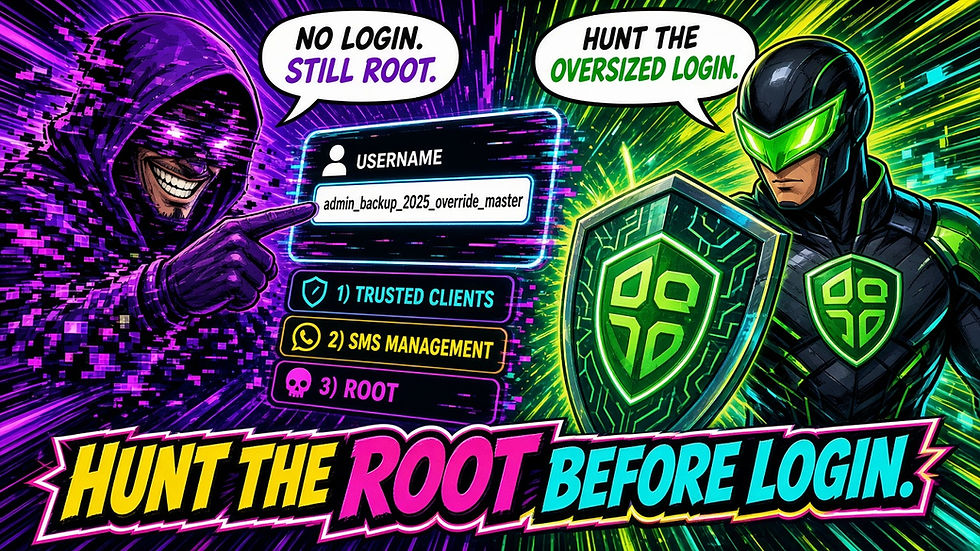
CVE-2026-91843 shows how. Check Point rates it 9.8 CVSS. Coverage describes a stack overflow in the pre-authentication login path on Security Management Server, Multi-Domain Security Management, Log Server, and Multi-Domain Log Server (including standalone and R82.20). The overflow is triggered by a login request with an extremely long username. The path runs through the Trusted Clients SmartConsole access-control setting. An unauthenticated network attacker who can reach that path may execute code as root. The point is authority without a legitimate admin session.
As of September 17 coverage, Check Point reports no known in-the-wild exploitation, CISA recorded exploitation as none, and the flaw was not on CISA's Known Exploited Vulnerabilities catalog. Urgency is severity, Trusted Clients exposure, and precedent that internet-exposed management flaws get hit (prior CVE-2026-16232 as that pattern only, not this CVE).
For a Check Point management estate, the practical questions are:
Which SMS, MDS, Log Server, and standalone hosts are in scope, including lab and partner-reachable paths?
Is Trusted Clients limited to known admin hosts, or still set to any IP?
Do firewall, proxy, or management logs show oversized username or auth payloads toward SmartConsole and management ports since mid-September 2026?
Do SmartConsole logins arrive from unexpected source IPs, and does EDR on SMS or Log Server show unexpected processes or egress after those attempts?
How the attack works
A login handler must bound what it accepts before authentication succeeds. CVE-2026-91843 fails that boundary on an oversized username in the pre-auth path. The Hacker News and SecurityAffairs, citing Censys and Check Point, place the reachable path through Trusted Clients: which hosts may connect to management through SmartConsole. When that path is reachable, the consequence is root on the system that writes policy and holds admin access.
The useful reconstruction is oversized username before authentication, through the Trusted Clients path, to root on the management plane, with policy rewrite, credential theft, and log tampering as follow-on risk.
Do not paste overflow recipes. Hunt oversized auth toward management ports, Trusted Clients inventory, unexpected SmartConsole sources, then host and egress evidence on the management servers.
Risk: what root on SMS means for the company
Root on SMS or MDS is keys-to-every-gateway class risk: rewritten Access Control policy, stolen or altered admin credentials, tampered logs, and persistence that survives LivePatch. Log Server compromise threatens the evidence you would use to investigate.
Censys observes roughly 3,836 hosts that present the default Check Point management or log SIC identity. That figure is total role presence, not a confirmed-vulnerable count. Build and Jumbo Hotfix level are not visible in that scan method. Smart-1 Cloud hosted service is reported already fixed or not affected. Inventory on-prem SMS, MDS, Log Server, and standalone exposure yourself. These are impact areas to investigate, not proof every estate experienced them.
Mitigate Check Point management risk
Inventory every SMS, MDS, Log Server, Multi-Domain Log Server, and standalone management host. Record version, Jumbo Hotfix Take where known, exposure, owner, and Trusted Clients setting.
Apply LivePatch per sk1000155 on every in-scope host. Cite the sk ID; do not invent patch text. If automatic updates are enabled, verify with cplp list. Prior VPN LivePatch rollouts showed staged delivery, so confirmation matters.
Check the Jumbo Hotfix Take on every Security Management Server and Log Server, including standalone and Multi-Domain deployments. Vulnerable at or below: R82.10 Take 44, R82 Take 126, R81.20 Take 166, R81.10 Take 190. R82.20 is vulnerable in all builds with no protective Jumbo Hotfix available yet, so LivePatch and Trusted Clients are the only controls there. R81, R80.40, R80.30, R80.20, R80.10 and R80 are all past end of support and need migration, not a patch.
Restrict Trusted Clients to known admin hosts. Never leave Trusted Clients as any IP. Avoid direct internet exposure of management; hardening guidance calls for VPN. For end-of-support branches (R81.10 and older), coverage states a fix path exists via Check Point support ticket.
Preserve SmartConsole and management access logs, firewall or proxy Custom Logs toward management ports, Trusted Clients history, and EDR on SMS and Log Server hosts. On suspected compromise: treat the host as untrusted; rebuild from known-good; rotate admin credentials; review policy change history. LivePatch remediates the software; the investigation covers what happened before it.
Check Point's own guidance names the string to look for: audit log entries reading Administrator failed to log in: Username too long. That is the cheapest single check on this CVE, it needs no SIEM, and it is worth running on every management host before you build anything more elaborate.
How to hunt the activity
Reconstruct: oversized username or auth payload toward management → reachable Trusted Clients path → unexpected SmartConsole source → root-level host or egress activity on SMS or Log Server.
Start at 2026-09-16 (vendor CheckMates notice) unless you expand earlier and say why. Mainstream break was 2026-09-17. Retain timestamps, destination, client IP, method, path or service, username length when logged, status, and host identity.
Hunt in KQL
Oversized login or username toward management ports. Replace hostnames and ports with your inventory. Map username length only where your pipeline already logs that field.
let StartTime = datetime(2026-09-16);
let MgmtHosts = dynamic(["sms.example.com", "mds.example.com", "logserver.example.com"]); // replace
let MgmtPorts = dynamic([18264, 19009, 18190, 443]); // adjust to your SmartConsole / CPMI / management listeners
CommonSecurityLog
| where TimeGenerated >= StartTime
| where DestinationHostName in (MgmtHosts)
    or DestinationPort in (MgmtPorts)
| extend ULen = strlen(tostring(coalesce(SourceUserName, DestinationUserName, "")))
| where ULen > 64 // tune; legit admin names are short; hunt outliers, not a magic overflow length
    or AdditionalExtensions has_any ("username", "user", "login", "SmartConsole", "CPMI")
    or RequestURL has_any ("login", "SmartConsole", "CPMI")
| project TimeGenerated, DestinationHostName, DestinationPort, SourceIP, SourceUserName,
    RequestMethod, RequestURL, DeviceAction, AdditionalExtensions, ULen
| order by TimeGenerated asc
Trusted Clients = any (inventory). Pull from CMDB, config export, or change-audit tables. Flag hosts where Trusted Clients is any IP or equivalent.
Unexpected SmartConsole sources. Same CommonSecurityLog scope: management connections from clients outside your admin allowlist.
Hunt in Falcon CQL
Select the repo for firewall, proxy, or WAF events toward management, plus endpoint view for SMS and Log Server hosts. Endpoint telemetry alone does not replace SmartConsole or CPMI visibility.
(#repo=YOUR_FW_OR_PROXY_REPO)
| @rawstring=/(?i)(SmartConsole|CPMI|Check.?Point|SIC)/
| @rawstring=/(?i)(login|username|user=|Trusted.?Client)/
| table([@timestamp, @rawstring], limit=1000)
(#repo=YOUR_EDR_OR_MGMT_HOST_REPO)
| (#event_simpleName=ProcessRollup2) OR (#event_simpleName=NetworkConnectIP4)
| (ComputerName=/sms|mds|log.?server|management/i OR aid=*YOUR_MGMT_AID_LIST*)
| table([@timestamp, ComputerName, FileName, CommandLine, RemoteAddressIP4], limit=1000)Pivot on unexpected shells or egress from management hosts after suspicious login attempts in the same window.
Hunt in Splunk
Replace indexes and hostnames. Time picker from 16 September 2026 unless you expand earlier and say why.
index=YOUR_FW_OR_PROXY_INDEX earliest=09/16/2026:00:00:00
| eval path=coalesce(uri_path, uri, url, http_uri)
| eval client=coalesce(src_ip, src, clientip, client_ip)
| eval user=coalesce(user, user_name, username, src_user)
| eval ulen=len(coalesce(user, ""))
| eval dest_host=coalesce(dest, dest_host, dest_ip, hostname)
| where (match(dest_host, "(?i)(sms|mds|log.?server|checkpoint|mgmt)")
        OR match(path, "(?i)(SmartConsole|CPMI|login)"))
   AND (ulen > 64 OR match(_raw, "(?i)(username|login|SmartConsole|Trusted.?Client)"))
| table _time dest_host client user ulen path status _raw
| sort 0 _time
index=YOUR_EDR_OR_OS_INDEX earliest=09/16/2026:00:00:00
| eval host_n=coalesce(dest, dest_host, hostname, host)
| where match(host_n, "(?i)(sms|mds|log.?server|management)")
| where match(_raw, "(?i)(bash|sh |python|curl|wget|nc |powershell)")
OR match(action, "(?i)(network|connect|process)")
| table _time host_n user process parent_process dest_ip dest_port _raw
| sort 0 _timePair oversized-auth hits with EDR and unexpected egress from the same management host.
Hunt in Kibana
Discover time range from 2026-09-16:
(server.domain: (*sms* OR *mds* OR *logserver* OR *checkpoint* OR *mgmt*)
 OR destination.port: (18264 OR 19009 OR 18190 OR 443))
AND (user.name: * OR url.path: (*login* OR *SmartConsole* OR *CPMI*)
 OR message: (*login* OR *username* OR *Trusted Client* OR *SmartConsole*))
(host.name: (*sms* OR *mds* OR *log* OR *management*) OR host.hostname: (*sms* OR *mds*))
AND (event.category: (process OR network)
OR process.name: (*bash* OR *sh* OR *python* OR *curl* OR *wget*)
OR destination.ip: *)Columns: @timestamp, source.ip, server.domain, destination.port, user.name, url.path, http.response.status_code, host.name, process.name, destination.ip. If username length is extracted, add that field and sort descending for outliers.
Field mapping, false positives, and empty results
Field mapping: Validate coalesce targets against a known-good SmartConsole login before trusting negatives. Username may sit in SourceUserName, user.name, syslog text, or only inside AdditionalExtensions. Confirm management listeners for your build; example ports are starting points.
False positives: Legitimately long admin usernames are rare, but scripted accounts, truncated fields, and unrelated WAF body-size alerts can noise the length hunt. LivePatch staging can look odd; pair with change tickets. Scanner noise on management ports is common; require oversized username context or a host follow-on before escalating.
Empty results: No management telemetry is a visibility gap, not clearance. Missing forwarders, short retention, no username field extraction, Trusted Clients never inventoried, or SMS hosts without EDR can look clean while remaining exposed. Falcon endpoint sensors alone do not guarantee SmartConsole or CPMI request visibility.
Interpret the results before escalating
Finding | Next investigative step |
Oversized username or auth payload toward management | Identify client and destination; preserve raw logs; check host EDR in the same window. |
Trusted Clients = any (or unrestricted) | Restrict to known admin hosts; expand hunt window; verify LivePatch via cplp list. |
SmartConsole login from unexpected source IP | Confirm against admin allowlist and VPN egress; review policy and admin-account changes. |
Unexpected process or egress on SMS / Log Server after suspicious login | Isolate; assume management trust is broken until rebuilt; rotate admin credentials; review policy history. |
Empty SIEM searches | Validate forwarding, field mapping, retention, host coverage, and whether username length is logged. |
Avoid escalating solely on a management port scan, a single short failed login, or LivePatch noise without host or policy follow-on.
Sources
The Hacker News: Critical Check Point Management Flaw Lets Unauthenticated Attackers Run Code as Root (2026-09-17; updated 2026-09-18 on R82.20 / standalone / Log Server / MDS scope)
SecurityAffairs: Check Point Fixes Critical CVE-2026-91843 Allowing Root Code Execution (2026-09-18)
Check Point LivePatch advisory sk1000155 (User Center / CheckMates; cite by sk ID)
What This Means for Your Team
The durable detection opportunity is root on the firewall brain before a legitimate login: oversized pre-auth usernames toward Trusted Clients, unexpected SmartConsole sources, then process and egress evidence on SMS and Log Server that LivePatch alone does not explain.
Apply that reasoning beyond this CVE: establish who may reach management, identify what the management plane accepted, and investigate the mismatch. Then follow into policy history, admin credentials, log integrity, and every gateway that trusted that SMS.
For teams using Microsoft Sentinel and Defender, Inception Security can help connect those questions to the telemetry already available. An Inception Foresight M365 Assessment can help identify visibility and detection gaps that affect that work.
Inception Protection
Inception Protection is Inception Security's MDR on the Defender and Sentinel stack you already pay for. For Check Point management cases we help connect oversized-auth and Trusted Clients hunts to SMS and Log Server EDR, policy and credential review, and the containment steps that restore trust in the management plane.
Inception Foresight
Want a clearer view of visibility and detection gaps on the Microsoft stack that affect investigations like this? Grab our free Inception Foresight M365 Assessment. No strings. Follow Inception Security on LinkedIn and @inceptionsec on X.